E-commerce & product
Put products on clean or custom backgrounds for listings and ads.

Erase background video online — upload footage, use the same workflow as the general remover, and export transparent WebM with alpha. This URL covers eraser wording, not a separate engine.
Reviewed by RemoveVideoBG TeamUpdated
Before / after
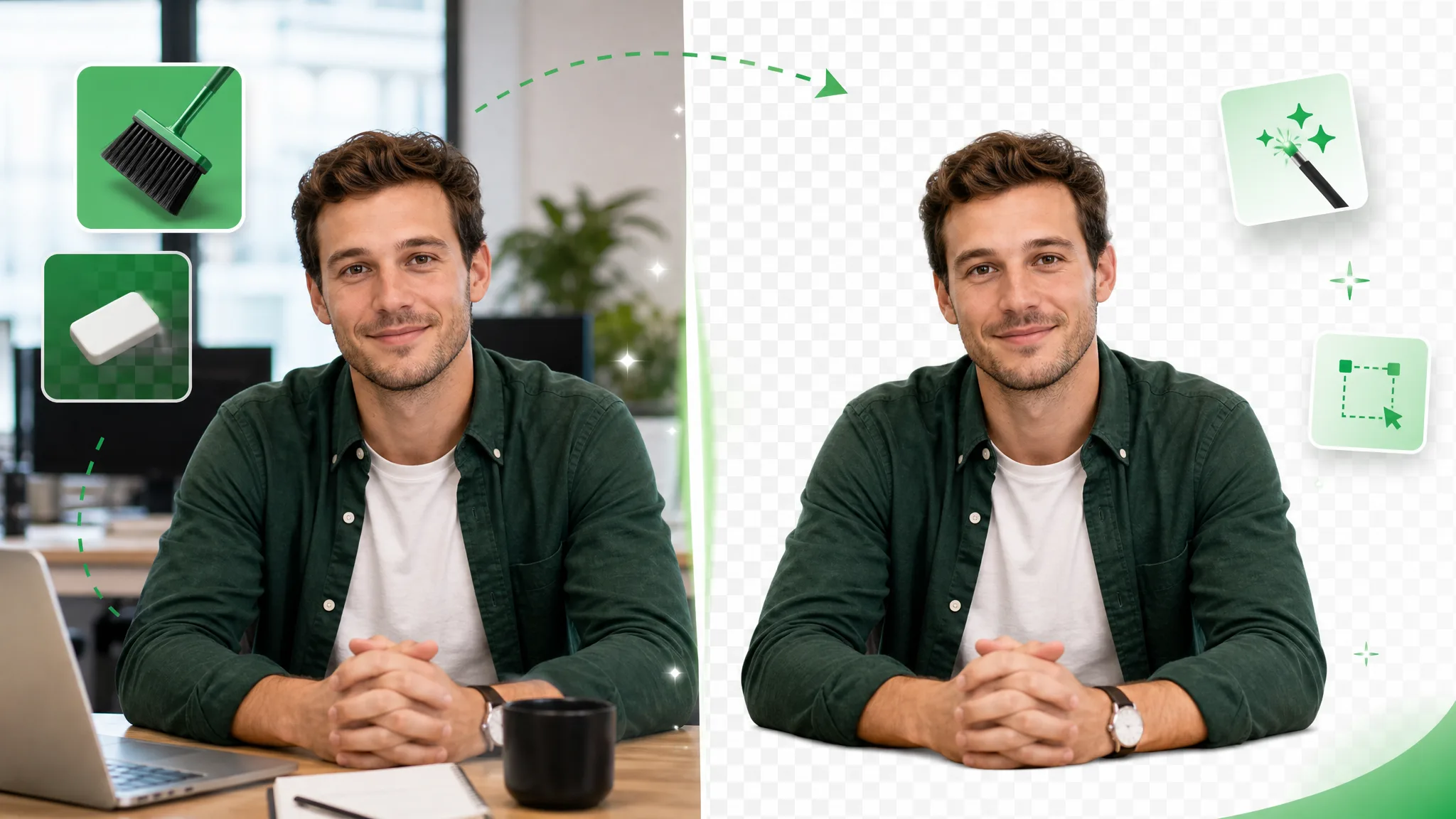
Drag any sample to compare the busy original with a subject-only result after the AI strips the background away, so you can judge the edges before you run it on your own clip.
Keep skin, hair, and soft edges clean on talking-to-camera clips.
Fast motion and water spray stay sharp through the cutout.
Cut animated characters out of any rendered scene.
Isolate stylized characters for compositing and overlays.
Talking-head unboxing and product clips with clean edges.
Drop AI-made clips onto any background in seconds.
Keep skin, hair, and soft edges clean on talking-to-camera clips.
Fast motion and water spray stay sharp through the cutout.
Cut animated characters out of any rendered scene.
Isolate stylized characters for compositing and overlays.
Talking-head unboxing and product clips with clean edges.
Drop AI-made clips onto any background in seconds.
Why it works
The eraser wording points to the same automated removal workflow: real alpha exports, no manual brush step, and a preview before you rely on the result.
No layers to paint and no keyframes to set — the AI removes the whole backdrop in a single pass, even on cluttered real-world footage. You brush nothing and mask nothing; you just upload and let it handle the separation that would otherwise mean hours of frame-by-frame work by hand.
Remove BackgroundBecause “eraser” names the task rather than a special engine, hair, soft motion, and busy lighting still deserve a preview. Check the result before you erase background video for a finished project instead of assuming every frame will look identical.
Try it freeThe eraser leaves a genuine alpha channel behind, so your subject sits over anything instead of arriving as a flattened clip with a solid block where the background used to be. That is the difference between a layer you can actually composite and a flat file you would have to key all over again.
Change BackgroundUse this entry when your search uses eraser wording; the general video background remover remains the capability owner. Export transparent WebM when you need an alpha layer, or choose an opaque background output where that fits the edit.
Start NowStep by step
Upload your clip, let the AI wipe the backdrop, and download a transparent WebM with full alpha. There is no brushing or masking in between — the whole flow is automatic, so all you handle is the upload and the download.
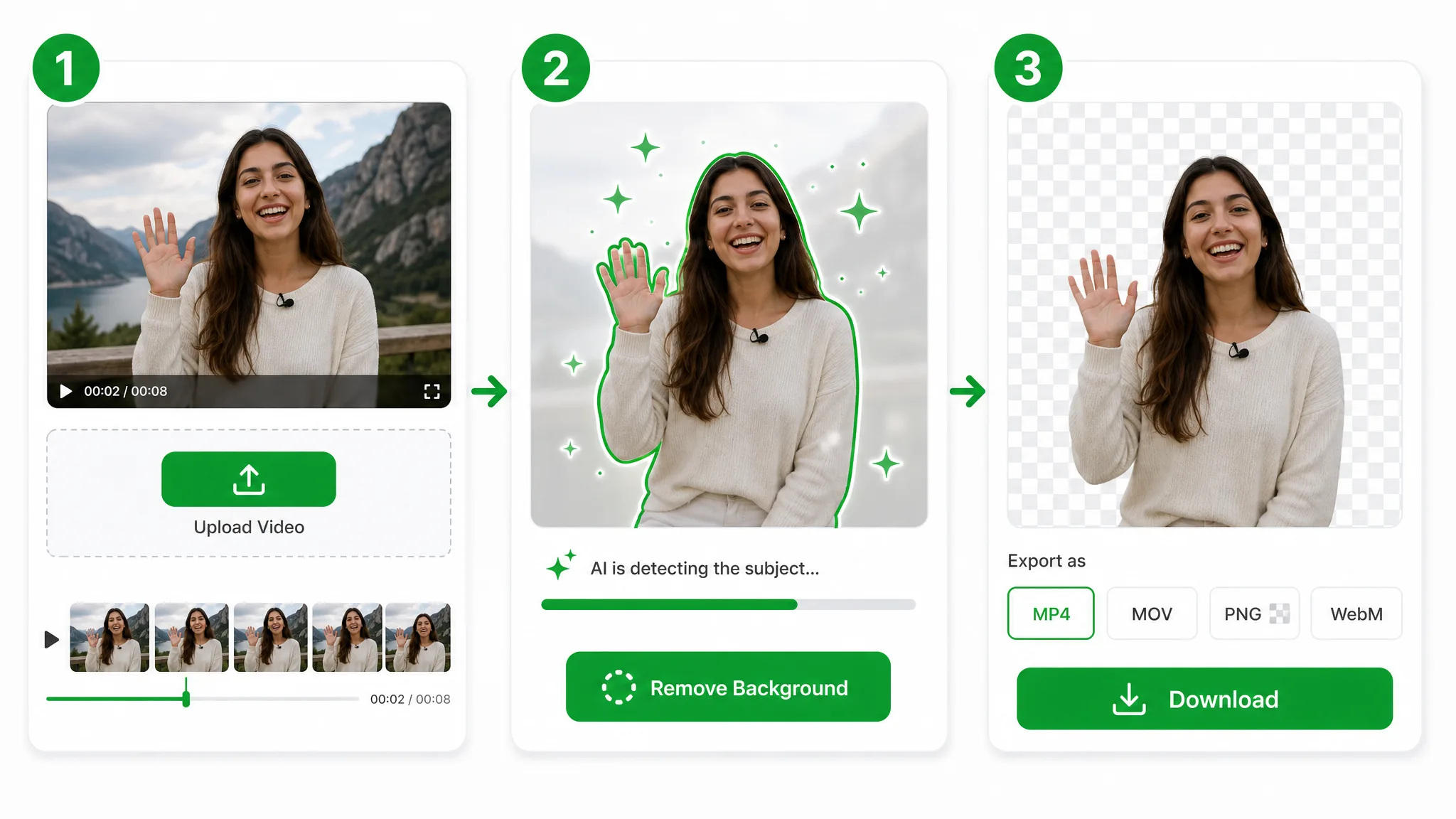
Drop in an MP4, MOV, or WebM and the tool takes over — your file lands in secure storage, with no editing skills, brushes, or masks for you to paint by hand.
The same Bria v3 automated removal workflow separates the subject — no chroma stage, no rotoscoping, and no scrubbing pixels away one stroke at a time.
Export a transparent WebM with the backdrop wiped clean and a real alpha channel, ready to drop onto any new scene in your editor of choice — the eraser hands back a layer you can composite right away.
Where it helps
Talking heads, product demos, and social clips — erase background video and place your subject on anything, the kind of quick wipe this tool is built for. Creators reach for a background eraser video tool whenever the room behind them is messy but the deadline is not.
Put products on clean or custom backgrounds for listings and ads.
Cut yourself out for Reels, Shorts, and TikTok overlays.
Create facecam overlays without a studio setup.
Place yourself over slides and screen recordings.
FAQ
Common questions on green screen, fine edges, supported formats, and price.
Upload your clip and the AI will erase background video automatically. You then download a transparent WebM with full alpha. This free background eraser video tool is free to start and adds no watermark, so a quick social cut is ready to post as soon as it downloads.
Yes — it wipes the backdrop on ordinary footage, with no green screen or manual masking needed. The AI finds and keeps your subject for you, so a handheld phone clip works as well as a lit, evenly shot scene.
It isolates your subject with AI in one pass, so you skip frame-by-frame brushing. You erase background video in seconds instead of hours, and there is nothing to keyframe, rotoscope, or paint by hand.
Yes. The model holds hair-fine and soft edges as it erases, so the cutout still looks natural once you composite it elsewhere. Those edges are where crude tools fail, which is what lets you erase background video without a visible outline.
MP4, MOV, and WebM are all supported. Upload any of them, then export a transparent WebM with the backdrop removed and full alpha intact, ready to drop onto a new scene in any editor.
Yes — this free video eraser is free to start and adds no watermark. The background eraser video free option starts with free credits, then charges per second processed: Basic covers clips up to 60 seconds, and longer ones use credits on the Pro or Ultra tier (up to about 3 minutes), exported as a transparent WebM.
No. This eraser-word page uses the same Bria v3 automated video background removal workflow and output choices as the general owner. It remains a terminology entry for eraser searches while the general remover owns the broad capability.
Related tools
Other tools for removing, replacing, and keying video backgrounds.

Turn any clip into a transparent video in seconds — upload, let AI make background transparent on every frame, and export a clean alpha file. No green screen, no manual masking, no watermark.
Try now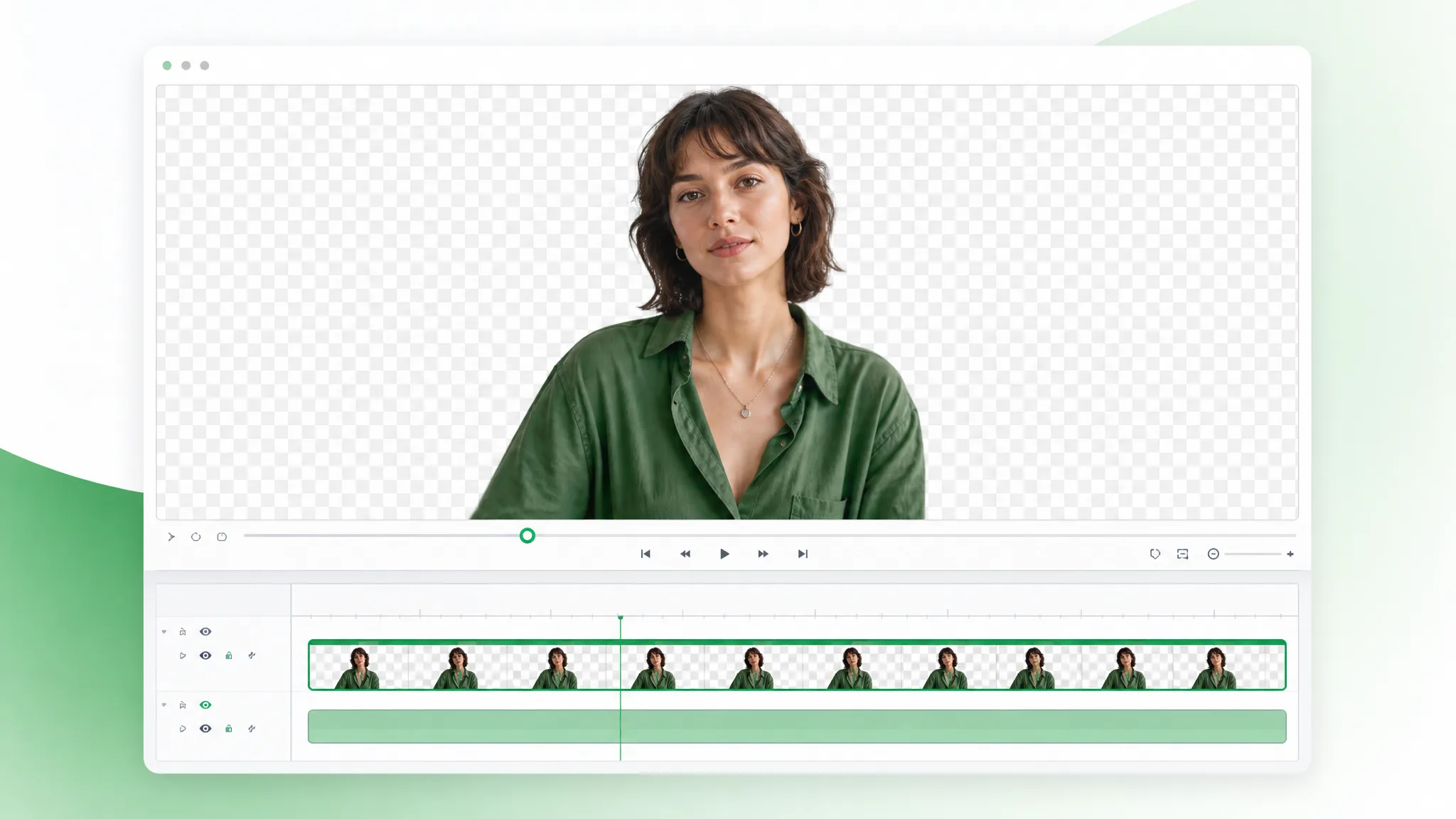
Upload a MOV and make MOV transparent in the browser — this mov background remover accepts .mov files only, cuts the backdrop automatically, and exports a transparent WebM with alpha.
Try now
Upload a GIF and remove background from GIF automatically with this GIF background remover — export a clean transparent loop, no green screen or manual masking.
Try nowUpload a video and let the AI erase background video in seconds — a free eraser online with no watermark.
Erase Background Video — Free