Best Unscreen Alternative for Video Background Removal

Switch from Unscreen and cut any video background for free — no upload cap, no watermark. The same one-click cutout for an unscreen video export or a looping unscreen gif, nothing to install.

Switching from Unscreen to a cleaner transparent video background remover.
或将文件拖到此处MP4、MOV、WebM · 最长 180s · 最高 4K · 100MB
没有视频?试试这些:
免费试用
  • 无水印
  • 干净 alpha 导出
  • 4K画质
  • 长视频

Side by side

Compare the cutout for yourself

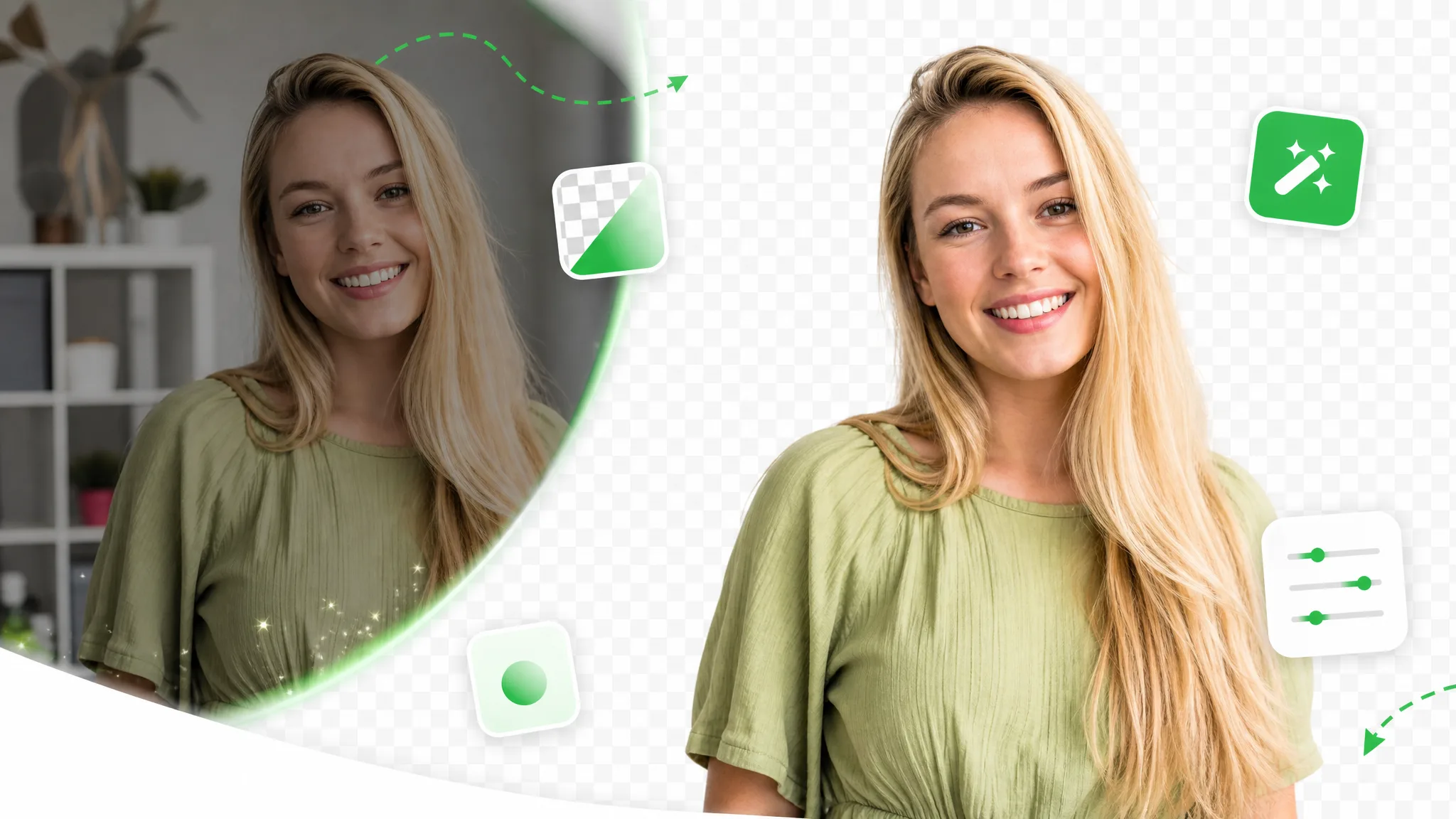
Slide between the raw clip and the isolated subject to judge the edges before you commit a single credit — the same one-click cutout Unscreen popularized, with the watermark removed. The comparison holds whether you started with a full-length video or a short loop bound for a GIF.

处理前处理后

创作者与博主

对镜讲解类视频,发丝、肤色与柔边都干净利落。

处理前处理后

运动与动作

快速运动与飞溅水花,抠像边缘依旧锐利。

处理前处理后

3D 角色动画

把动画角色从任意渲染场景中抠出。

处理前处理后

游戏与特效角色

分离风格化角色,用于合成与叠层。

处理前处理后

社媒 UGC 带货

口播开箱、产品展示类成片,人物边缘干净利落。

处理前处理后

AI 与特效画面

把 AI 生成的画面几秒换到任意背景上。

处理前处理后

创作者与博主

对镜讲解类视频,发丝、肤色与柔边都干净利落。

处理前处理后

运动与动作

快速运动与飞溅水花,抠像边缘依旧锐利。

处理前处理后

3D 角色动画

把动画角色从任意渲染场景中抠出。

处理前处理后

游戏与特效角色

分离风格化角色,用于合成与叠层。

处理前处理后

社媒 UGC 带货

口播开箱、产品展示类成片,人物边缘干净利落。

处理前处理后

AI 与特效画面

把 AI 生成的画面几秒换到任意背景上。

Why people switch

What this Unscreen alternative does differently

No watermark, no upload caps, and a true alpha export — the parts of Unscreen that usually sit behind a plan, opened up here for every clip you run, right down to a single-loop GIF.

Watermark-free from the first export

Download a transparent clip with nothing stamped over it, so you can ship straight to a client edit instead of paying to lift a watermark off the result. Where Unscreen drops a watermark on free renders until you upgrade, this Unscreen alternative hands you a clean cutout from the very first export — no plan, no credit gate, and no logo to crop out before you deliver.

去除背景
已去除背景的电商产品视频,展示模特干净的透明 alpha 抠像效果。

No upload meter ticking down

Process short clips back to back without a per-month upload allowance burning out, so quick experiments stay free instead of eating a quota. Unscreen meters how many seconds you can run before the paywall; here you keep removing backgrounds clip after clip, which makes it a practical Unscreen free video background remover for everyday cutouts. Building a whole pack of looping stickers for a chat thread costs nothing either, since short clips never trip a counter.

免费试用
自动从普通素材中去除背景的健身博主视频。

A genuine alpha channel, not a flat box

Your subject lands on a transparent layer ready to composite, rather than a flattened MP4 with a colored rectangle baked behind it. That real alpha is the part of Unscreen people actually want — drop the WebM over any scene in your editor and the edges hold, with no box to key out and no halo where the background used to be. The same clean matte carries straight into a GIF, so a looping sticker keeps soft edges instead of the jagged 1-bit fringe most exporters leave behind.

更换背景
自动去背景后,将创作者视频一键替换为全新场景。

Runs in any browser, zero install

Everything happens on the web, so there is no desktop app or plugin to set up before you can pull a subject out of footage. Open the page, upload, and this Unscreen alternative does the rest — the same one-click feel Unscreen made popular, with no account, extension, or download standing between you and a transparent export.

立即开始
已去除背景的讲师讲解视频,呈现干净的长视频课程画面。

The flow

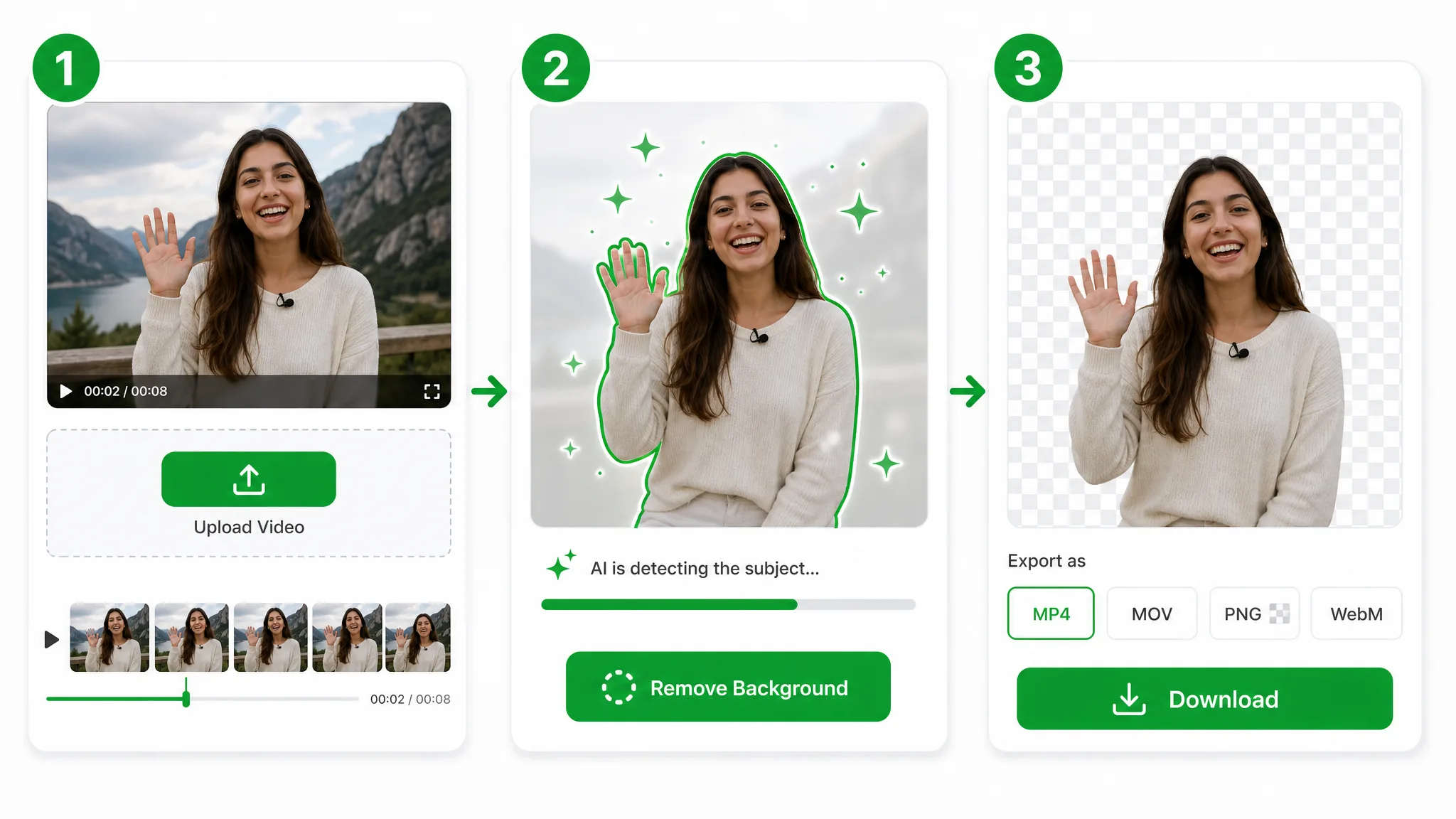
From clip to cutout in three moves

Drop in your footage, let the model separate the subject, and download a clean transparent file — the same flow you knew at Unscreen, minus the upload meter and the watermark. Need a looping sticker instead? Run the same three steps on a short clip and convert the transparent WebM to GIF at the end.

Three-step overview of removing a video background: upload, let the AI cut out the subject, then download the transparent result.
  1. 1

    Drop in your clip

    Bring over the same MP4, MOV, or WebM you would have fed to Unscreen — it uploads straight to secure storage, no account and no install needed.

  2. 2

    Let the AI lift the subject

    The model isolates your subject the way Unscreen did — no green screen, no rotoscoping, and no per-frame masking on your part.

  3. 3

    Grab the transparent result

    Export a transparent WebM with full alpha — watermark-free, so the cutout is ready to ship straight away. Keep it as a video clip for editing, or convert it to a GIF when you need a looping sticker.

Put it to work

From full edits to a looping sticker

Talking-head intros, product loops, and reaction overlays — lift the subject out the way an Unscreen alternative should, then drop the transparent clip onto any scene. Keep the full-length video for your edit, or trim a few seconds into a GIF for a sticker, reaction, or chat reply.

电商与产品

把产品放到干净或自定义背景上,用于商品图与广告。

电商产品视频去除背景后置于干净的自定义背景上,用于商品详情页。

社媒与 UGC

把自己抠出来做 Reels、Shorts、TikTok 叠层。

把创作者从视频中抠出作为透明叠层,用于竖屏 Reels、Shorts 或 TikTok 短片。

游戏与直播

不用搭建影棚也能做面部摄像头叠层。

去除背景的主播面部摄像头画面,可直接叠加到游戏画面上。

课程与教程

把自己叠在幻灯片和录屏之上。

把讲师从视频中抠出并叠加到幻灯片上,用于在线课程或教程。

FAQ

People also ask about the Unscreen alternative

Common questions on pricing, watermarks, formats, and how the cutout holds up.

You get watermark-free transparent exports with no credit gate on short clips. Unscreen stamps a watermark on free renders until you upgrade; here the cutout is clean from the first export, and it all runs online with nothing to download or install.

Try the faster Unscreen alternative

Upload a clip and pull a clean transparent subject in seconds — free, no watermark, and no upload cap to fight. Whether it ends up a full edit or a quick looping sticker, the export comes out clean.

Try the Unscreen Alternative — Free