电商与产品
把产品放到干净或自定义背景上,用于商品图与广告。
Run a faster CapCut remove background flow online — one click, no Pro plan, no watermark, no chroma key CapCut setup, just a true transparent export.

See the difference
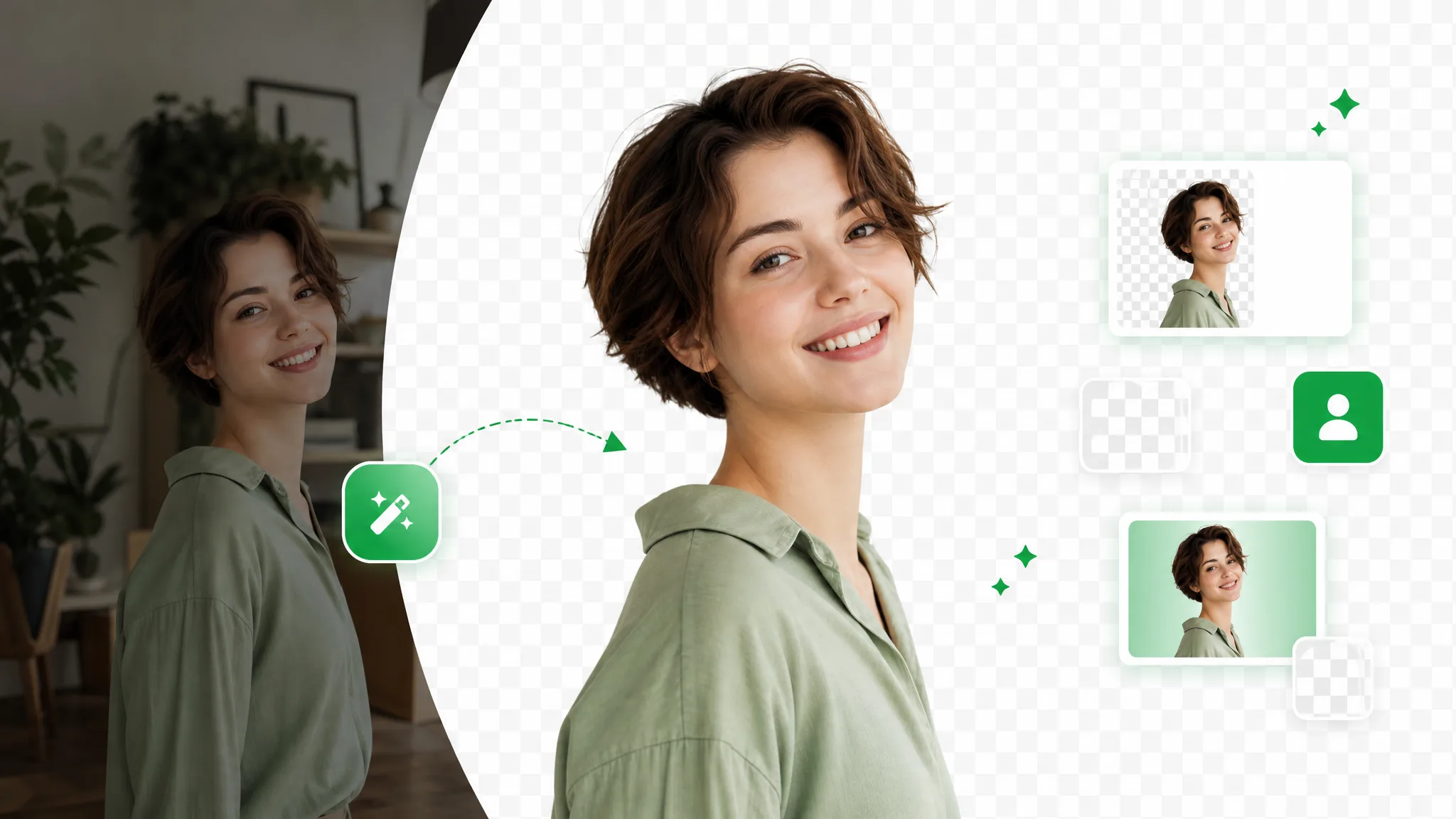
Drag across the sample to weigh the edges against what a chroma key CapCut pass would leave after manual cleanup — the same CapCut remove background cutout, without the timeline or green screen.
对镜讲解类视频,发丝、肤色与柔边都干净利落。
快速运动与飞溅水花,抠像边缘依旧锐利。
把动画角色从任意渲染场景中抠出。
分离风格化角色,用于合成与叠层。
口播开箱、产品展示类成片,人物边缘干净利落。
把 AI 生成的画面几秒换到任意背景上。
对镜讲解类视频,发丝、肤色与柔边都干净利落。
快速运动与飞溅水花,抠像边缘依旧锐利。
把动画角色从任意渲染场景中抠出。
分离风格化角色,用于合成与叠层。
口播开箱、产品展示类成片,人物边缘干净利落。
把 AI 生成的画面几秒换到任意背景上。
Why switch editors
No Pro gate, no watermark, and a real alpha file — the CapCut remove background result you wanted, without the timeline and overlay juggling.
Skip splitting clips, stacking overlays, and nudging opacity to fake a cutout. You upload once and the subject is separated automatically instead of being hand-keyed across a timeline. That matters because the in-app CapCut remove background steps bury a simple task under editing busywork — and unlike a chroma key CapCut pass, you never have to shoot against green or roto a single frame; one upload gives you the same clean lift in seconds with nothing to arrange by hand.
去除背景Pull a transparent subject without paying to lift a watermark or upgrade a tier first. The finished cutout is ready to deliver from the very first download, with no plan gating the part you actually need. Where the CapCut remove background flow nudges you toward Pro to ship a clean file, this hands you a watermark-free transparent export on short clips for nothing.
免费试用Get a genuine alpha channel rather than a baked-in colored backdrop behind your subject. Because the CapCut background remover tends to flatten the result on export, you often end up with a box to crop; here the WebM or ProRes carries real transparency, so the clip composites onto any new scene cleanly in post with no rectangle left to key out.
更换背景Everything runs in the browser, so there is no separate phone install or desktop build to keep in sync before you can cut a background out. Whether you shot on a laptop or straight to your phone, the same CapCut remove background shortcut opens in a tab — no app store update, no project transfer, and no device-specific export limits to work around.
立即开始The flow
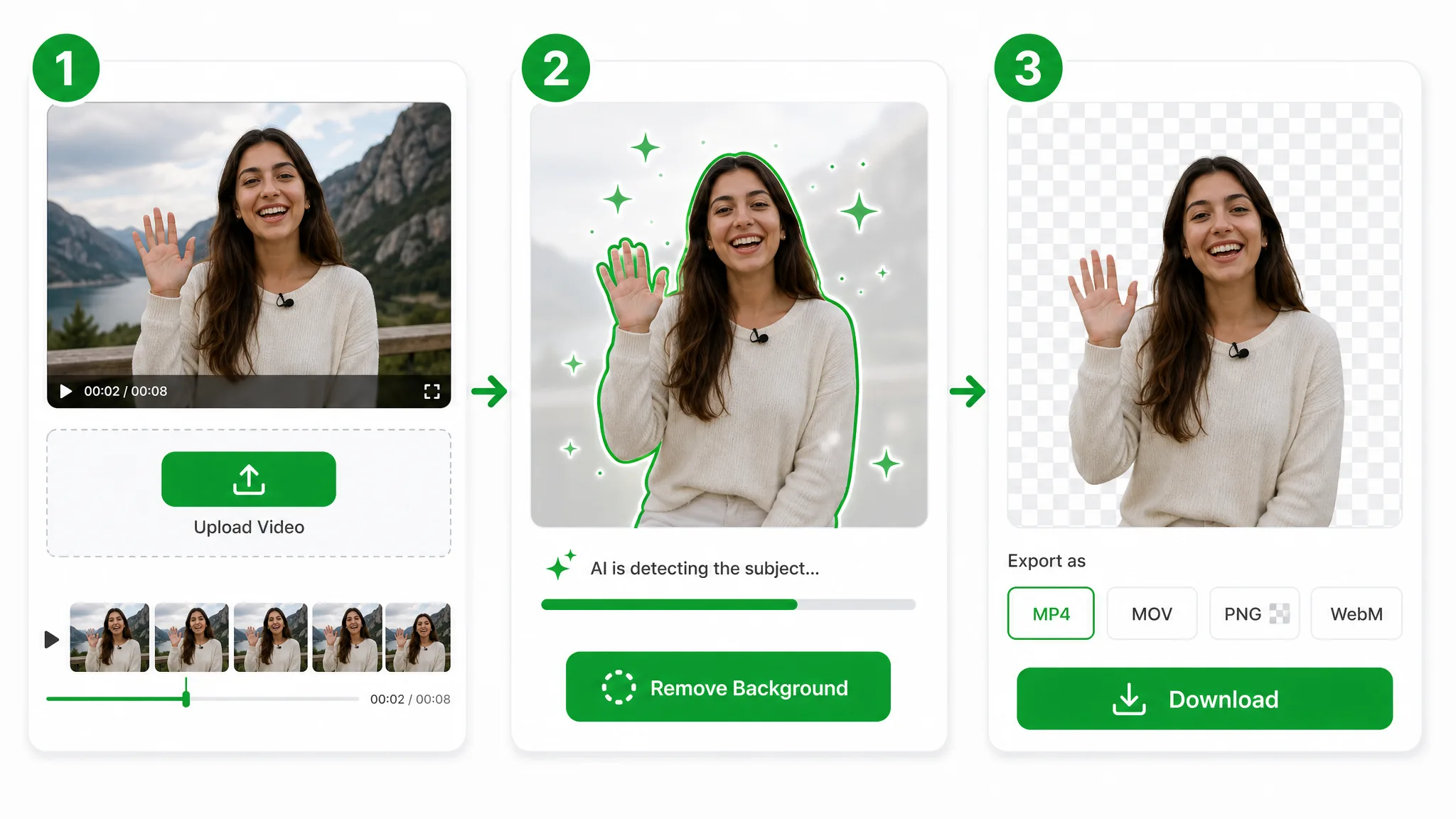
Upload your clip, let the AI separate the subject, and download a clean transparent file — a CapCut remove background pass with none of the editing in between and no green-screen prep, and no chroma key CapCut routine involved at all.

Drop in the MP4, MOV, or WebM you would have opened in the app — no timeline, no overlay layers, just a straight CapCut remove background shortcut in your browser.
The AI separates your subject in seconds, so you can skip the chroma key CapCut workflow entirely — no green screen to light and no manual masking, even on busy handheld footage.
Download a transparent WebM with full alpha — something the in-app CapCut background remover keeps locked behind a flattened export.
Put it to work
Short-form intros, product overlays, and reaction clips — lift the subject out and drop it onto any backdrop, the way a CapCut background remover should but rarely does cleanly.
把产品放到干净或自定义背景上,用于商品图与广告。
把自己抠出来做 Reels、Shorts、TikTok 叠层。
不用搭建影棚也能做面部摄像头叠层。
把自己叠在幻灯片和录屏之上。
FAQ
Common questions on the Pro gate, watermarks, alpha exports, and how the CapCut remove background cutout holds up on real footage.
You get a true transparent export with no watermark and no Pro plan. There is no green-screen routine either — nothing to shoot on green or key out by hand. It runs entirely in the browser, so there is no app to install or update, and your CapCut remove background result is ready to ship the moment the file finishes processing.
Yes. Short clips are free with no watermark, and only longer videos use credits. Nothing is paywalled just to preview the cutout, so you can run a CapCut remove background pass and download the transparent result without an account.
No chroma key or green screen setup is required at all. Unlike the chroma key approach CapCut leans on, the AI lifts the subject from any ordinary background automatically, so a handheld phone clip works as well as a lit, evenly green-screened shot.
It traces fine hair and soft edges frame by frame. Wispy strands stay intact, where an in-app CapCut background remover pass can clip them flat, so portraits and talking-head clips keep their natural outline against a new backdrop.
Yes. Export a transparent WebM or ProRes MOV with a real alpha channel that drops straight onto any layer. The transparency is baked into the file, so there is no colored box to key out once the clip lands in your editor.
Yes. Export from CapCut, upload, and run a remove-background pass right in the browser. Whether it is a short reel or a full capcut remove background video, you get back a transparent file ready to composite — and skipping the in-app timeline makes the remove background capcut step a one-click job. MP4, MOV, and WebM all upload.
相关工具
用于去除、替换、抠像视频背景的更多工具。

Switch from Unscreen and cut any video background for free — no upload cap, no watermark. The same one-click cutout for an unscreen video export or a looping unscreen gif, nothing to install.
立即试用
Upload a clip and remove background from GIF automatically with this GIF background remover — export a clean transparent loop, no green screen or manual masking.
立即试用
Drop in footage shot on a green backdrop and this green screen remover keys it out to remove background video in one pass — a clean cutout, no manual chroma node to wire up.
立即试用Upload a clip and get a transparent subject in seconds — a faster CapCut remove background route, free and watermark-free.
Try the CapCut Background Remover — Free